
Missing Default Gateway in Windows Server 2008 |
Jan
20
|
| « How to disable the Shutdown Event Tracker in Server 2003/2008? | How to block Facebook Spam, even if it’s not in your language » |
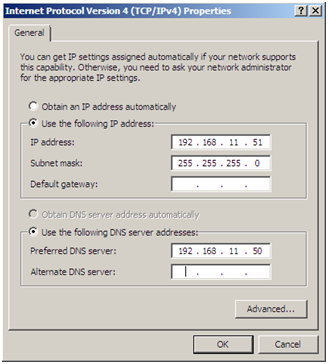
You enter a default gateway and the gateway disappears, not even after a reboot – it just disappears in a couple of minutes.
I’ve recently ran into this issue on a couple of Windows Server 2008 guest machines in a VMWare environment. I am not sure if it is isolated to VMWare. I could not find a resolution so I came up with this workaround.
“
Open up by going from “START > RUN REGEDIT” > Press Enter
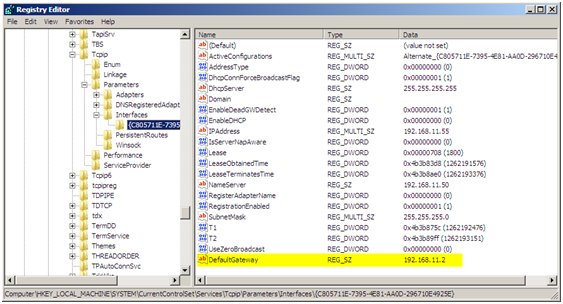
Navigate to the following key “HKEY_LOCAL_MACHINE\SYSTEM\CurrentControlSet\Services\Tcpip\Parameters\Interfaces”, select the interface that is missing the default gateway. You can tell which interface by the IPAddress entry. Create a new STRING value in the selected interface key.
Type: STRING (REG_SZ)
Name: DefaultGateway
Value: enter the IP Address of the gateway; in this case it was 192.168.11.2
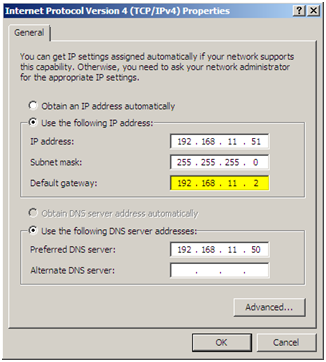
Open the properties of the network connection and you should not see the gateway listed, after I did this I did not have any more issues with the gateway disappearing.
“
“
“
“
“
“
“
“
“
“
“
“
“